Magazine Mock Cover Mock-up
|
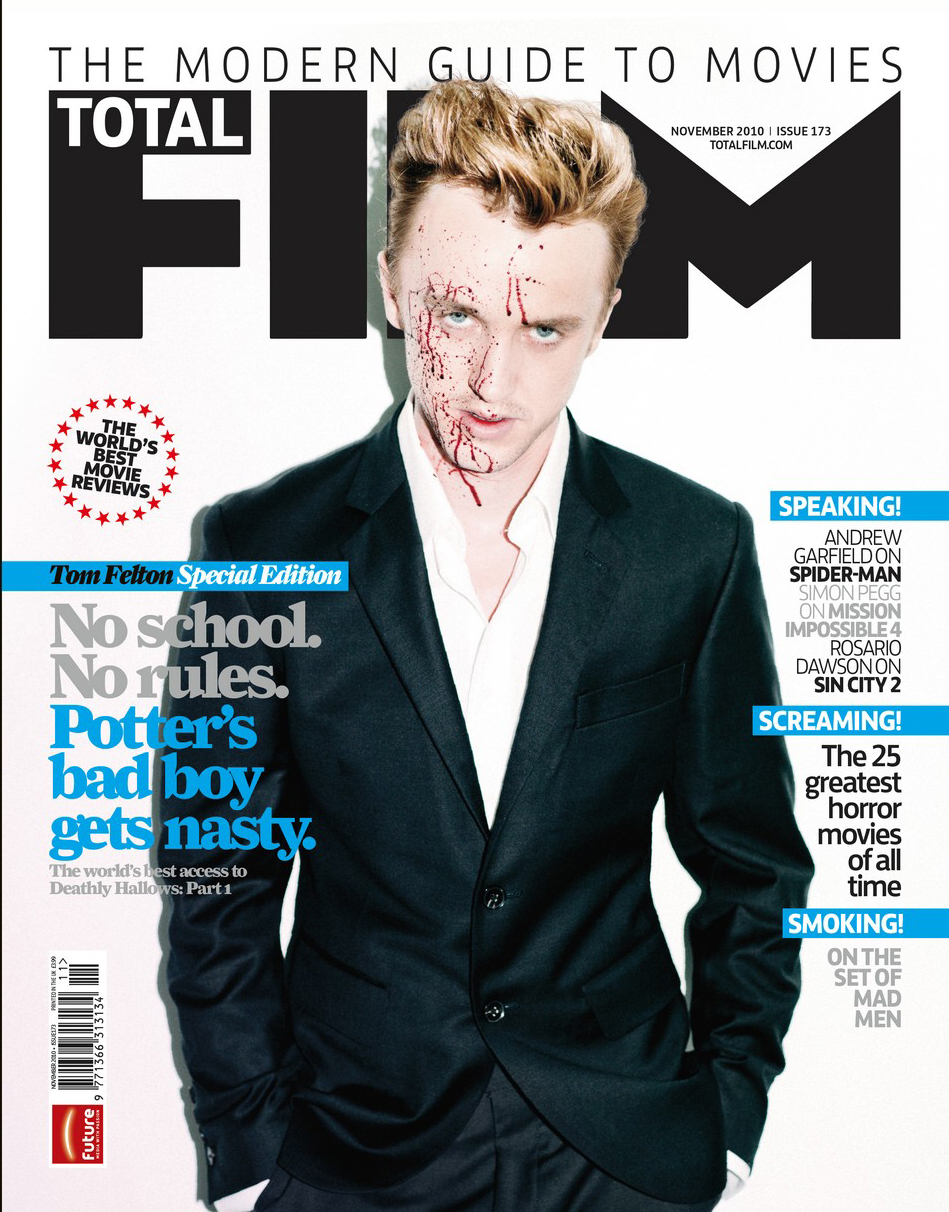
Your cover should have at a minimum:
- Letter Size 81/2' by 11'
- A Masthead
- A Sell Line
- A main image created by you. A photo of you with your t-shirt design on your color t-shirt. Don’t use an image from the internet!
- At least one cover line
- A splash
- A barcode
|
Step One: Open Your Fashion Photo in Photoshop |
Step Two: Place your PNG Design and on the tee-shirt |
|
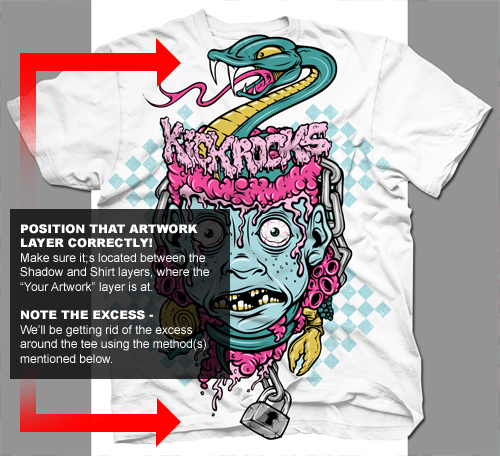 |
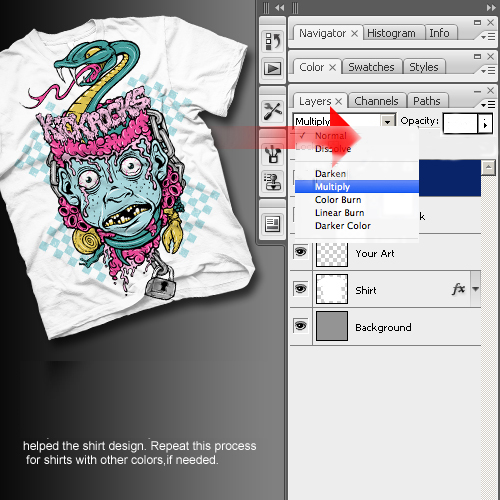
Step Three: Next remove the white background of your design choose Multiple |
 |
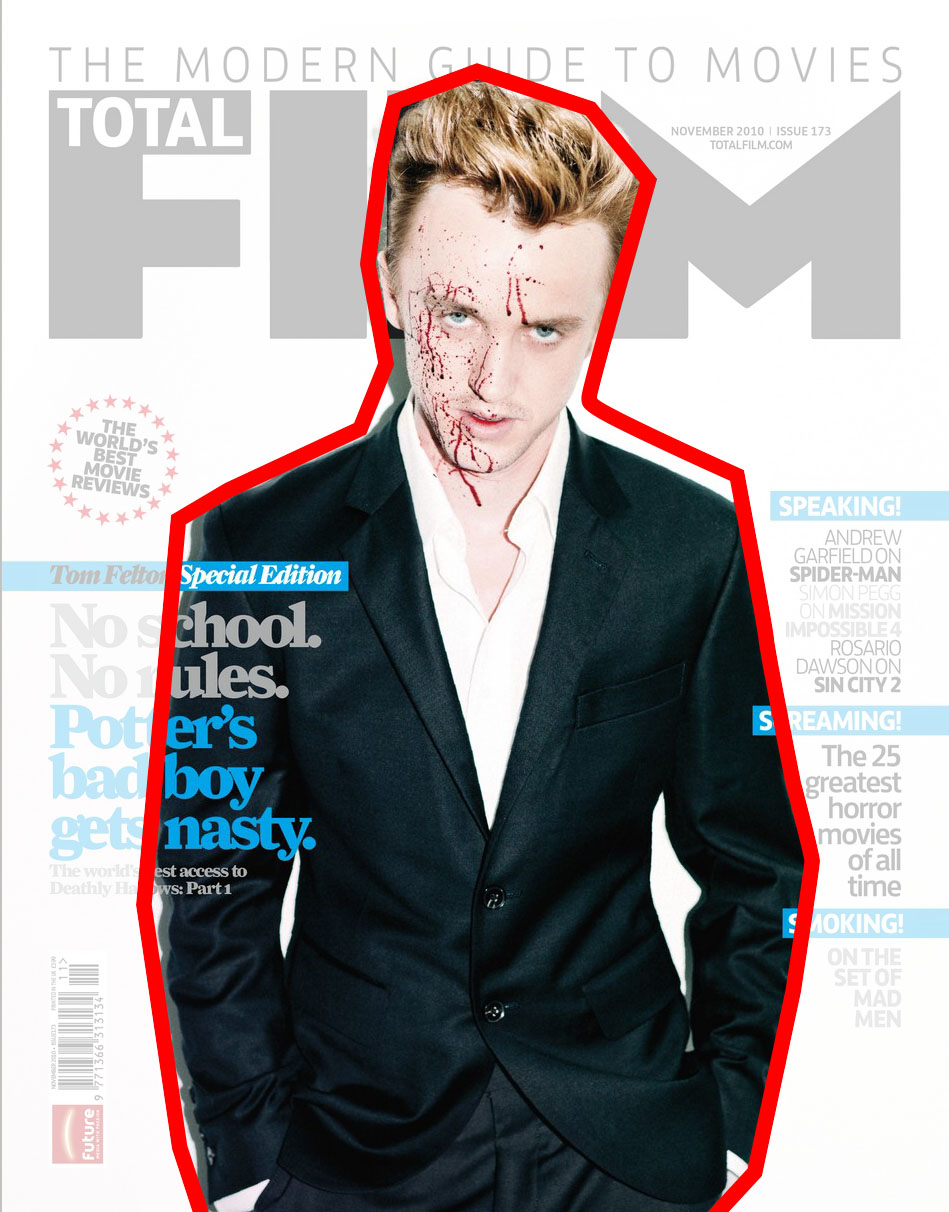
Step Four: Rename your PNG files accordingly
Cover.png
|
Photoshop Project: Magazine Cover
Goal: Use Photoshop to create a realistic magazine cover. Create all elements (other than bar code) from scratch.
Cover Elements 1
Masthead and Sell Line
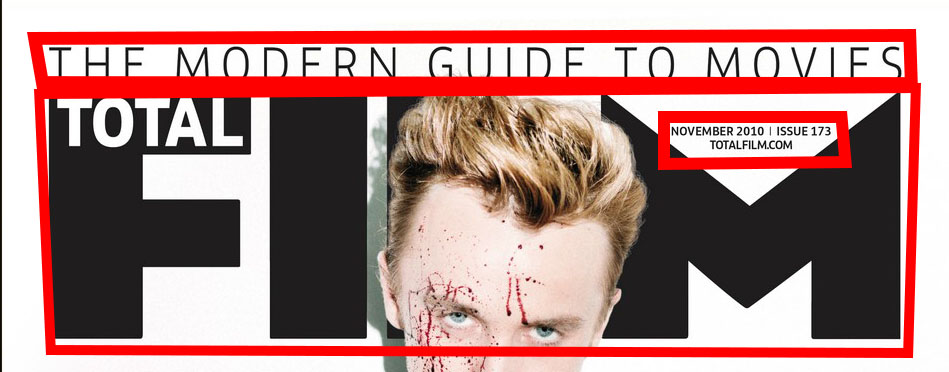
The Masthead contains the name of the magazine. It can be a simple typeface, but it usually is a designed logo.
The Sell Line is a short phrase or sentence to attract the reader. “The Modern Guide to Movies” tells the reader what the magazine is about, and who it will appeal to.
/h1>
|
Cover Elements 2
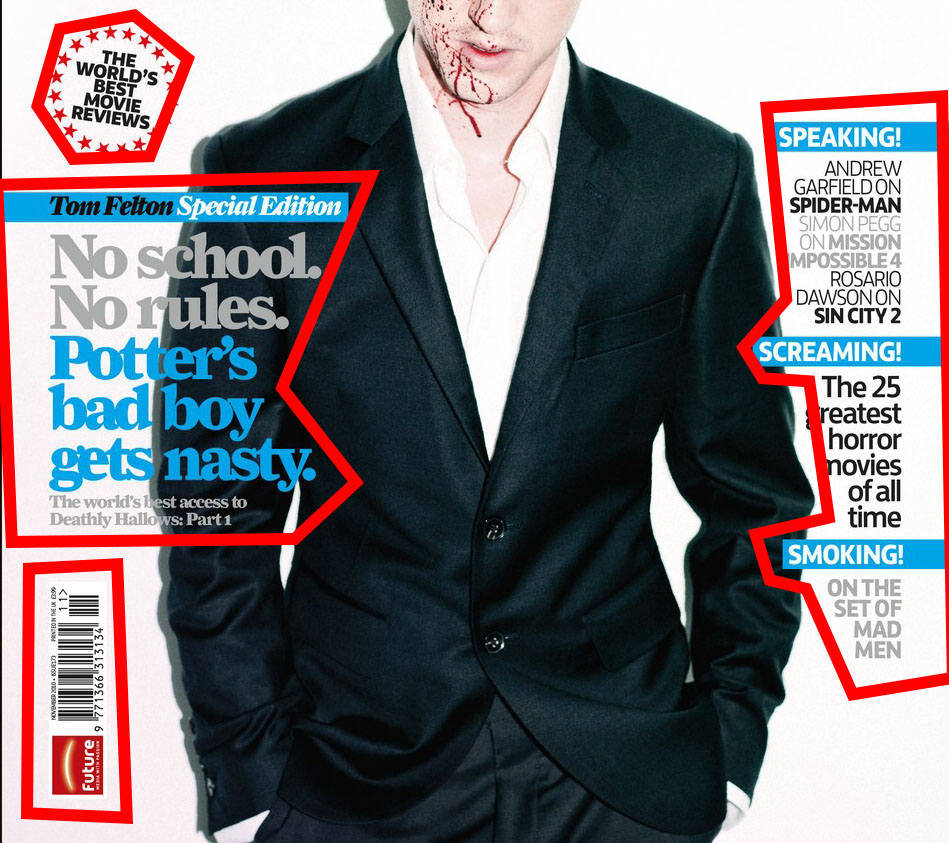
- A splash is a badge that doesn’t strictly follow the layout of the cover. Here, it’s a ring of stars with text in the middle. It could also be a solid shape.
- Cover lines tell the reader the stories to expect inside. The largest cover lines almost always connect to the main picture on a cover.
- The barcode is the price code for the magazine. There are websites that will let you generate a barcode, but for this project it will probably be easier to download a premade image
|
